3 days ago
This is how you read messages secretly in whatsapp

Periskopi(6 years ago)
(6 years ago)This is a simple trick that will help you read messages secretly in the Westapp. Are you tired of whatsApp's application that doesn't allow you to read messages without accessing it? Then we have a solution for you, reports “Gagetsnow” broadcasts news.net. It's a simple trick you [...]
This is a simple trick that will help you read messages secretly in the Westapp.
Are you tired of whatsApp's application that doesn't allow you to read messages without accessing it? Then we have a solution for you, reports “Gagetsnow” broadcasts news.net.
It's a simple trick that allows you to read the messages of WhatsApp in secret. This way works for Android users but also for IOS.
To read messages in secret, follow these three steps:
- You must wait for a message to appear in whatsapp on your phone
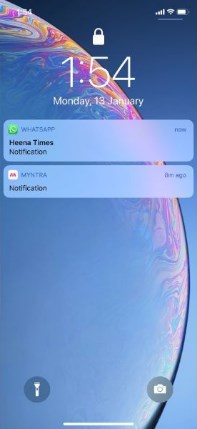
-
- As your message appears, open your phone without taking off the notification
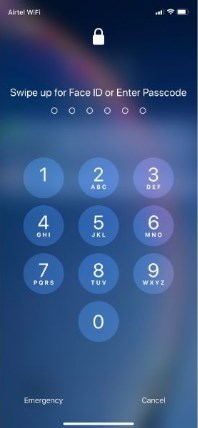
- Now press down for a long time to read the message through notice

Android and iOS users should wait for the message from Whatsapp to appear on your phone. As the message appears on the phone, you need to open the phone through the password.
- As your message appears, open your phone without taking off the notification