3 days ago
How to Clear Instagram Research History

Periskopi(6 years ago)
(6 years ago)It's futile to deny that at least 1 time you haven't looked for his former Instagram, your ex, his girlfriend now, and his whole tribe. There's no place to feel bad. We feel you. Then, to erase the trail, you clicked your “
It's futile to deny that at least 1 time you haven't looked for his former Instagram, your ex, his girlfriend now, and his whole tribe. There's no place to feel bad. We feel you. Then, to erase the tracks, you clicked the “clear search history”, but as hell, even though it's been a long time, one day the name you wanted appears again in your research history.
How do we stop this from happening?
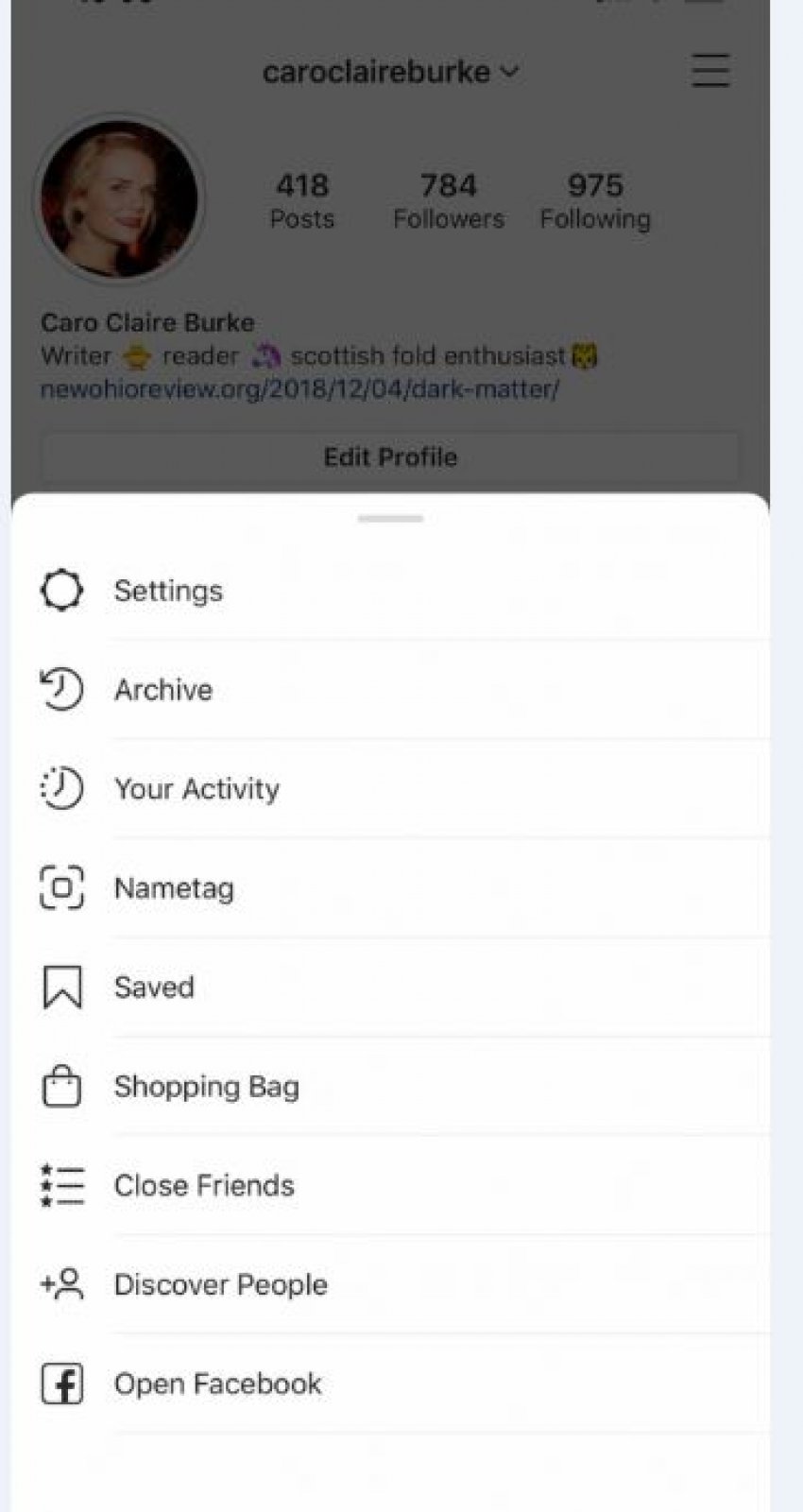
So if you want to delete what you requested in the Instagram, or see and see first go to your account. That's where you need to select option “Setings”, then “Security” and then click on “The moment you do this, all the addresses that you have requested from time to time will appear. There you will have the opportunity to remove particular names from the list of research or the entire list.
Look out! If you delete the research history, you are unable to go back, but this does not mean that the addresses you once requested will no longer appear as suggestions.
This process is a little different if you do it from a computer screen. In this case, you will go back to your account, click Setings and press “Privacy and Security” from there. Furthermore, you will show option “View Account date.” Click on “Search History,” and then on “View All”.
To be clearer, the profiles that result from your suggestions are not necessarily the ones you asked for. They appear as a result of all your interaction on the platform (the files you have followed, liked, commented).
In other words, it is important to be attentive to what you are looking for on social networking. Nothing you click doesn't automatically disappear.