12 hours ago
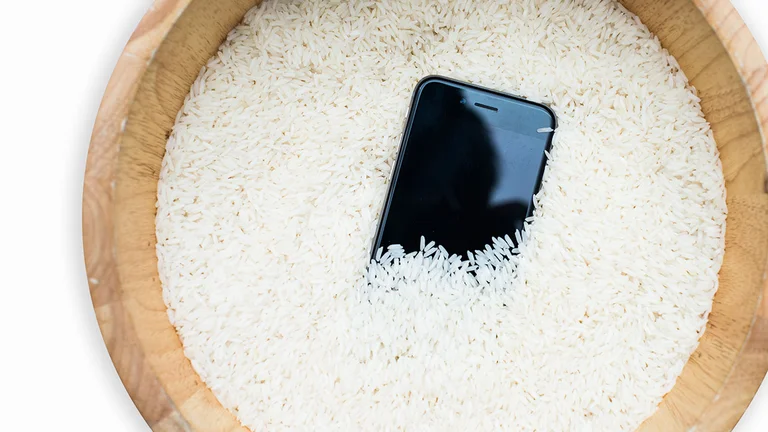
No, rice doesn't work: Where to put the phone if water damage
Periskopi(5 years ago)
(5 years ago)Much of the new phones are heralded as “sustainable to water” (water risk rate), but that doesn't mean they're waterproof. Water resistance implies that the device can cope well with certain water levels without any substantial damage. How do you know that water has caused [...]
Much of the new phones are heralded as “sustainable to water” (water risk rate), but that doesn't mean they're waterproof. Water resistance implies that the device can cope well with certain water levels without any substantial damage.
How do you know that water has caused damage to the equipment? Water exposure can cause these problems:
Unclear photos
Audio corrupted or dysfunctional
) liquid points on screen
It's not loaded
It won't start.
How do you fix it?
First, do not put it in a pot of rice. It's just myth doesn't work. Instead, take these steps.
1. Turn off the device immediately and don't press any buttons.
2. If the phone is resistant to water and is wet with another liquid, Apple and Samsung suggest that it be rinse in a watery place, but not in fluids because it can cause damage.
3. Delete the phone with paper towels or soft rags.
4. Move it easily to remove water from the supply gates, but avoid a strong shaking, which can spread water to other interiors.
5. Remove SIM card.
6. Use an air cleaner to get rid of the water. Avoid the use of hot dryer, as heat can destroy insides and damage the screen.
7. Say the phone before a fan.
8. Leave it in an airtight container with a package of silice (small bags found inside the shoes and new bags). They help to absorb moisture.

9. Don't charge the phone unless you're sure it's dry. Apple suggests you wait at least five hours.
10. If it doesn't start, despite the above steps, you should take it to a professional.
Sources: TechCrunch, Conversion